
Custom Excel Template Ideas
Custom Excel Template Ideas to Boost Productivity
Excel is a powerful tool, but its default layout can sometimes feel generic. Creating custom templates tailored to specific needs can dramatically improve efficiency and organization. Here are some ideas for custom Excel templates you can use to streamline your workflow and boost productivity.
Project Management Template
Ditch complicated project management software and leverage Excel. A custom project management template can include:
- Project Overview: Fields for project name, start and end dates, project manager, and overall status.
- Task List: Columns for task name, assigned to, due date, status (e.g., Not Started, In Progress, Completed, Blocked), priority, and dependencies. Conditional formatting can highlight overdue tasks or high-priority items.
- Gantt Chart: Use a simple stacked bar chart to visualize the project timeline. Adjust the chart based on task start dates and durations. This provides a quick visual overview of the project’s progress.
- Resource Allocation: Track resource allocation per task to avoid over-commitment and identify bottlenecks. Include columns for resource name, hours allocated, and actual hours spent.
- Budget Tracker: Monitor project expenses against the budget. Include columns for expense category, description, amount budgeted, actual amount spent, and variance. Use formulas to calculate total budget, total expenses, and remaining budget. A visual representation (e.g., a progress bar) can show how much of the budget has been utilized.
Sales Pipeline Tracker
Optimize your sales process with a dedicated sales pipeline tracker. Custom features include:
- Lead Information: Columns for lead name, company, contact information, lead source, and lead status (e.g., Qualified, Demo Scheduled, Proposal Sent, Negotiation, Closed Won, Closed Lost).
- Sales Stages: Define your sales stages and track leads through each stage. Include columns for the date a lead entered each stage.
- Deal Value: Estimate the potential revenue from each lead. This allows for accurate sales forecasting.
- Probability of Closing: Assign a probability percentage to each lead based on its current stage. Use this to calculate weighted pipeline value.
- Next Action: Record the next action needed to move the lead forward and the date it’s due. This ensures follow-up and prevents leads from going cold. Conditional formatting can highlight overdue actions.
- Reporting & Analytics: Create pivot tables and charts to analyze sales performance by lead source, sales stage, sales representative, and other key metrics.
Inventory Management Template
Maintain accurate inventory records with a custom template. Key elements include:
- Product Information: Columns for product name, SKU, description, cost price, selling price, supplier information.
- Inventory Levels: Track current stock levels, minimum stock levels (reorder points), and maximum stock levels. Conditional formatting can highlight items that are below the reorder point.
- Inventory Transactions: Record all incoming and outgoing inventory transactions, including the date, quantity, and reason for the transaction (e.g., purchase order, sales order, return).
- Inventory Valuation: Calculate the total value of your inventory based on cost price.
- Reporting: Generate reports on stock levels, inventory turnover, and potential stockouts.
Event Planning Template
Organize your events with a custom template that includes:
- Event Details: Fields for event name, date, time, location, and purpose.
- Guest List: Track RSVPs, dietary restrictions, and special requests.
- Budget: Monitor event expenses against the budget. Include categories for venue rental, catering, decorations, entertainment, and marketing.
- Task List: Create a checklist of tasks to be completed before, during, and after the event, including deadlines and assigned personnel.
- Vendor Management: Track vendor information, contracts, and payment schedules.
- Timeline: Create a visual timeline of event activities.
Personal Finance Tracker
Take control of your finances with a customized personal finance tracker. Include:
- Income Tracking: Record all sources of income, including salary, investments, and side hustles.
- Expense Tracking: Categorize expenses (e.g., rent, utilities, groceries, transportation, entertainment) and track spending habits.
- Budgeting: Set monthly budgets for each expense category and track progress. Conditional formatting can highlight areas where you are overspending.
- Savings Goals: Track progress towards savings goals, such as a down payment on a house or retirement savings.
- Debt Tracking: Monitor loan balances, interest rates, and payment schedules.
- Reporting & Analytics: Generate reports on income, expenses, savings, and debt to gain insights into your financial health.
Content Calendar Template
Streamline your content creation process with a custom content calendar template. Key features include:
- Content Details: Columns for title, topic, format (e.g., blog post, video, infographic), target audience, keywords.
- Publishing Schedule: Track planned publication dates and actual publication dates.
- Platform: Specify the platform where the content will be published (e.g., website, social media).
- Status: Track the status of each piece of content (e.g., Idea, In Progress, Review, Published).
- Performance Metrics: Record key performance indicators (KPIs) such as page views, social media engagement, and lead generation.
These are just a few ideas to get you started. The key is to tailor your Excel templates to your specific needs and workflow. Experiment with different features, formulas, and formatting options to create templates that are both functional and visually appealing. By investing time in creating custom Excel templates, you can significantly improve your productivity and organization.
 1242×644 cool excel templates excel templates excel templates from www.exceltemplate123.us
 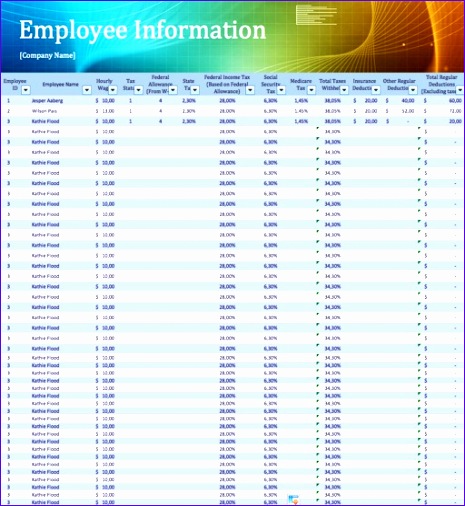 465×506 amazing excel templates excel templates from www.exceltemplate123.us
  2000×1992 custom excel spreadsheet design etsy from www.etsy.com
  650×300 create custom templates excel from www.howtogeek.com
 Thank you for visiting Custom Excel Template Ideas. There are a lot of beautiful templates out there, but it can be easy to feel like a lot of the best cost a ridiculous amount of money, require special design. And if at this time you are looking for information and ideas regarding the Custom Excel Template Ideas then, you are in the perfect place. Get this Custom Excel Template Ideas for free here. We hope this post Custom Excel Template Ideas inspired you and help you what you are looking for.
Custom Excel Template Ideas was posted in December 17, 2025 at 4:25 pm. If you wanna have it as yours, please click the Pictures and you will go to click right mouse then Save Image As and Click Save and download the Custom Excel Template Ideas Picture.. Don’t forget to share this picture with others via Facebook, Twitter, Pinterest or other social medias! we do hope you'll get inspired by SampleTemplates123... Thanks again! If you have any DMCA issues on this post, please contact us!