
Top Automation Tools For Productivity
Top Automation Tools for Productivity
In today’s fast-paced environment, boosting productivity is crucial for both individuals and businesses. Automation tools offer a powerful way to streamline workflows, eliminate repetitive tasks, and free up valuable time for more strategic and creative endeavors. This article explores some of the top automation tools currently available, categorized by their primary functions, to help you choose the right solutions for your specific needs.
Task Management and Workflow Automation
These tools focus on organizing tasks, managing projects, and automating workflows to improve overall efficiency.
Asana
Asana is a popular project management platform that allows teams to collaborate effectively, track progress, and automate various aspects of project execution. Key features include task assignment, deadline setting, progress monitoring, and integration with other productivity tools like Slack and Google Workspace. Its automation capabilities allow users to create custom rules that trigger actions based on specific events. For example, you can automatically assign a task to a specific team member when it enters a particular stage or send notifications when a task is completed. Asana is suitable for managing projects of all sizes, from simple to-do lists to complex multi-team initiatives.
Trello
Trello is a visual project management tool that uses a Kanban board system. Its simple and intuitive interface makes it easy to organize tasks into lists and cards, allowing teams to track progress at a glance. Trello’s Power-Ups extend its functionality with integrations and automation features. Butler, Trello’s built-in automation engine, allows users to create rules, schedule commands, and automate repetitive tasks. For example, you can automate card creation based on specific dates, move cards between lists based on status changes, or automatically assign due dates to new cards. Trello is particularly well-suited for agile teams and projects that require a flexible and visual workflow.
Zapier
Zapier is a powerful integration platform that connects thousands of different apps and services. It allows you to automate tasks and workflows between these apps without writing any code. You can create “Zaps,” which are automated workflows that trigger actions in one app based on events in another. For example, you can automatically save email attachments to Google Drive, add new leads from a form to your CRM, or post updates to social media when a blog post is published. Zapier is incredibly versatile and can be used to automate a wide range of tasks across various departments and industries.
Communication and Scheduling Automation
These tools aim to streamline communication processes and automate scheduling tasks, saving time and improving responsiveness.
Calendly
Calendly is a scheduling automation tool that eliminates the back-and-forth emails often involved in setting up meetings. You can create custom meeting types, set your availability, and share a link with others, allowing them to book appointments that fit your schedule. Calendly integrates with popular calendar apps like Google Calendar and Outlook, automatically preventing double-bookings and ensuring that your schedule is always up-to-date. It also supports features like buffer times, customized notifications, and integrations with other tools like Zoom and GoToMeeting.
Mailchimp
Mailchimp is a popular email marketing platform that offers powerful automation features. You can create automated email sequences that are triggered by specific events, such as new sign-ups, purchases, or website visits. Mailchimp allows you to personalize emails based on recipient data, segment your audience for targeted messaging, and track the performance of your campaigns. Its automation capabilities enable you to nurture leads, onboard new customers, and promote your products or services effectively. Mailchimp is a valuable tool for businesses of all sizes that want to leverage email marketing to build relationships and drive sales.
IFTTT (If This Then That)
IFTTT is a web-based service that allows users to create applets (formerly called recipes) that automate tasks between different apps and devices. It works on a simple “if this, then that” logic. For example, “If I post a photo to Instagram, then automatically save it to Google Drive.” IFTTT supports a wide range of integrations, including social media platforms, smart home devices, and productivity tools. It can be used to automate simple tasks like backing up data, controlling smart home devices based on location, or receiving notifications for important events.
Social Media Automation
Managing social media can be time-consuming. These tools help automate posting, engagement, and analysis.
Buffer
Buffer is a social media management tool that allows you to schedule posts across multiple social media platforms, including Facebook, Instagram, Twitter, LinkedIn, and Pinterest. You can create a content calendar, schedule posts in advance, and analyze the performance of your content. Buffer also offers features like link shortening, hashtag management, and team collaboration. Its automation capabilities enable you to maintain a consistent social media presence without having to manually post updates every day.
Hootsuite
Hootsuite is another popular social media management platform that offers similar features to Buffer. It allows you to schedule posts, monitor social media conversations, engage with your audience, and analyze your social media performance. Hootsuite supports a wider range of integrations than Buffer, including more social media platforms and third-party apps. It also offers features like social listening, team collaboration, and advanced analytics. Hootsuite is a comprehensive solution for businesses that want to manage their social media presence effectively and efficiently.
Conclusion
Automation tools can significantly enhance productivity by streamlining workflows, eliminating repetitive tasks, and freeing up time for more important activities. The tools mentioned above represent just a small fraction of the available options. The best choice for you will depend on your specific needs and the types of tasks you want to automate. By carefully evaluating your options and implementing the right tools, you can significantly improve your efficiency and achieve your goals more effectively.
 1080×1080 productivity automation tools data accuracy business efficiency from www.solvable.com.au
  1400×933 top productivity tools automation integration fleep blog from fleep.io
 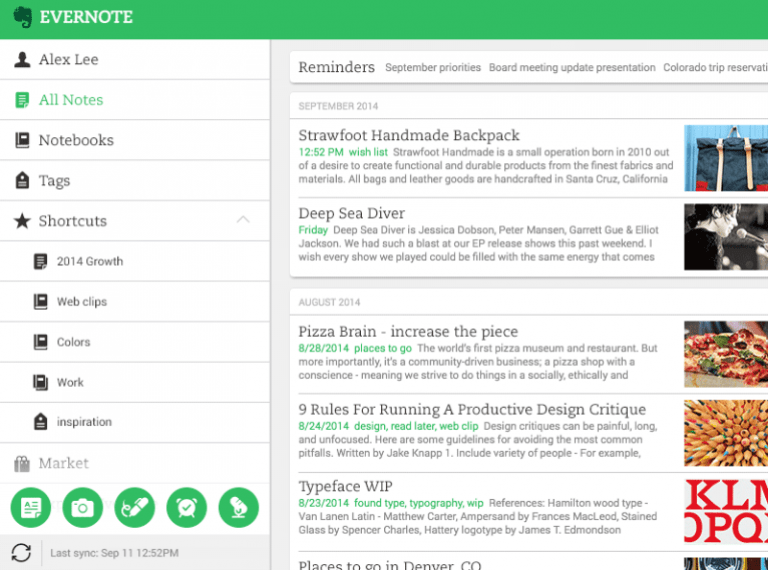 768×570 top automation tools increase productivity philipscom from www.pvariel.com
  800×500 productivity tools marketers hr developers from fasproc.com
  1200×600 top automation tools business easy stencil from getstencil.com
  845×634 guide favorite automation tools priority va from priorityva.com
 Thank you for visiting Top Automation Tools For Productivity. There are a lot of beautiful templates out there, but it can be easy to feel like a lot of the best cost a ridiculous amount of money, require special design. And if at this time you are looking for information and ideas regarding the Top Automation Tools For Productivity then, you are in the perfect place. Get this Top Automation Tools For Productivity for free here. We hope this post Top Automation Tools For Productivity inspired you and help you what you are looking for.
Top Automation Tools For Productivity was posted in December 29, 2025 at 9:53 pm. If you wanna have it as yours, please click the Pictures and you will go to click right mouse then Save Image As and Click Save and download the Top Automation Tools For Productivity Picture.. Don’t forget to share this picture with others via Facebook, Twitter, Pinterest or other social medias! we do hope you'll get inspired by SampleTemplates123... Thanks again! If you have any DMCA issues on this post, please contact us!
Related For Top Automation Tools For Productivity

AI Productivity Tools For Remote Wo
AI Productivity Tools for Remote Work AI Productivity Tools