
Advanced Time Management For Beginners
Advanced Time Management: A Beginner’s Guide
Feeling overwhelmed? Like there’s never enough time in the day? You’re not alone. While basic to-do lists and calendars are a start, truly effective time management requires a more nuanced approach. This guide dives into advanced techniques tailored for beginners, helping you take control of your schedule and achieve your goals.
Beyond the To-Do List: Prioritization is Key
Simply listing tasks isn’t enough. You need to prioritize. Not all tasks are created equal. Consider these methods:
- The Eisenhower Matrix (Urgent/Important): Categorize tasks into four quadrants:
- Urgent and Important (Do First): Crises, deadlines, critical problems. Tackle these immediately.
- Important but Not Urgent (Schedule): Planning, relationship building, preventative maintenance. Schedule time for these activities; they contribute to long-term success.
- Urgent but Not Important (Delegate): Interruptions, some meetings, some emails. Delegate if possible, or find ways to minimize their impact.
- Neither Urgent nor Important (Eliminate): Time wasters, trivial tasks, unnecessary meetings. Get rid of these completely.
- Pareto Principle (80/20 Rule): Focus on the 20% of tasks that yield 80% of the results. Identify those high-impact activities and dedicate your time to them.
- ABC Analysis: Assign each task a priority level: A (high priority), B (medium priority), C (low priority). Focus on As first, then Bs, and only tackle Cs if time allows.
Time Blocking: Architecting Your Day
Time blocking is a powerful technique that involves scheduling specific blocks of time for specific tasks. Instead of just having “work on project,” you might schedule “Monday 9:00 AM – 11:00 AM: Project brainstorming.”
How to Implement Time Blocking:
- Identify your priorities: Use prioritization techniques to determine which tasks are most important.
- Estimate time requirements: Be realistic about how long tasks will take. It’s better to overestimate slightly than underestimate.
- Allocate blocks of time: Schedule these blocks in your calendar. Include buffer time for unexpected interruptions or tasks that take longer than anticipated.
- Stick to the schedule: Treat your time blocks like appointments. Avoid multitasking; focus solely on the task at hand during the allocated time.
- Review and adjust: At the end of each day or week, review your time blocks. Identify what worked well and what didn’t, and adjust your schedule accordingly.
The Power of “No”: Setting Boundaries
Learning to say “no” is crucial for effective time management. Overcommitting yourself leads to stress, burnout, and decreased productivity. Politely decline requests that don’t align with your priorities or that will significantly impact your schedule.
Tips for Saying “No”:
- Be direct and concise: “Thank you for thinking of me, but I’m unable to take on that task at this time.”
- Offer an alternative: “I can’t do it myself, but I can recommend someone who might be able to help.”
- Explain your reasoning (briefly): “I’m currently focused on meeting deadlines for other projects.”
- Don’t apologize excessively: A simple “I’m sorry” is sufficient.
- Protect your time: Remember that saying “no” to others means saying “yes” to your priorities.
Batching Similar Tasks: Streamlining Your Workflow
Batching involves grouping similar tasks together and performing them in a single block of time. This reduces context switching, which can significantly improve efficiency. For example, instead of checking emails sporadically throughout the day, dedicate specific times for email processing.
Examples of Task Batching:
- Email: Respond to all emails at designated times (e.g., morning, afternoon).
- Phone calls: Make all necessary phone calls in a single session.
- Errands: Combine all errands into a single trip.
- Writing: Dedicate specific time blocks to writing (e.g., articles, reports, emails).
Eliminating Distractions: Creating a Focused Environment
Distractions are the enemy of productivity. Identify your biggest distractions (e.g., social media, notifications, noisy environments) and take steps to minimize or eliminate them.
Strategies for Eliminating Distractions:
- Turn off notifications: Disable all non-essential notifications on your phone and computer.
- Use website blockers: Block distracting websites (e.g., social media, news sites) during work hours.
- Create a dedicated workspace: Designate a quiet area where you can focus without interruptions.
- Communicate your boundaries: Let others know when you need uninterrupted time.
- Use noise-canceling headphones: Block out ambient noise to improve concentration.
- Pomodoro Technique: Work in focused bursts (e.g., 25 minutes) followed by short breaks (e.g., 5 minutes).
Review and Reflection: Continuous Improvement
Time management is an ongoing process. Regularly review your strategies and identify areas for improvement. What worked well? What didn’t? What can you do differently next week? Use your calendar or journal to track your progress and identify patterns.
By incorporating these advanced techniques into your daily routine, you can move beyond basic time management and achieve greater productivity, reduce stress, and ultimately, accomplish your goals.
 2124×2124 beginners guide time management karen comfort from www.karencomfort.com
 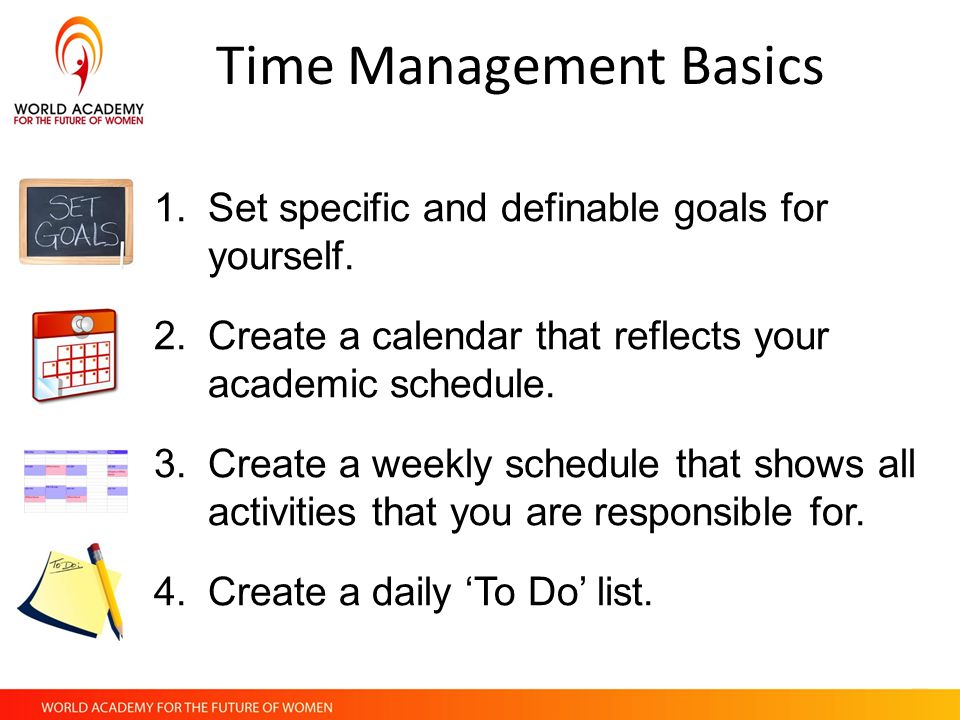 960×720 time management basics business knowledge from penmark.com
  1600×960 time management exercises managers list from www.appfluence.com
  1024×680 time management techniques complete guide from diyminddesign.com
  1000×667 started time management archives prioritized living from www.prioritizedliving.com
  1600×900 time management tips college students readdle blog from readdle.com
 Thank you for visiting Advanced Time Management For Beginners. There are a lot of beautiful templates out there, but it can be easy to feel like a lot of the best cost a ridiculous amount of money, require special design. And if at this time you are looking for information and ideas regarding the Advanced Time Management For Beginners then, you are in the perfect place. Get this Advanced Time Management For Beginners for free here. We hope this post Advanced Time Management For Beginners inspired you and help you what you are looking for.
Advanced Time Management For Beginners was posted in December 17, 2025 at 9:04 am. If you wanna have it as yours, please click the Pictures and you will go to click right mouse then Save Image As and Click Save and download the Advanced Time Management For Beginners Picture.. Don’t forget to share this picture with others via Facebook, Twitter, Pinterest or other social medias! we do hope you'll get inspired by SampleTemplates123... Thanks again! If you have any DMCA issues on this post, please contact us!