
Gantt Chart Template With Built-in Risk Tracking
Gantt Chart Template with Built-in Risk Tracking A Gantt chart template with built-in risk tracking is a powerful project management tool that combines the visual timeline of a traditional Gantt chart with a dedicated system for identifying, assessing, and managing project risks. This integrated approach provides a comprehensive view of the project, allowing project managers and teams to proactively mitigate potential issues and keep the project on schedule and within budget. **Understanding the Components** Before diving into the specifics of a risk-aware Gantt chart template, it’s important to understand its two core components: * **Gantt Chart:** A Gantt chart is a horizontal bar chart that visually represents a project schedule. Each bar represents a task or activity, with its length indicating the duration. The chart typically displays: * Task names or descriptions * Start and end dates for each task * Task dependencies (which tasks must be completed before others can begin) * Milestones (significant points or deliverables within the project) * The critical path (the sequence of tasks that directly impacts the project’s overall completion date) * Resource assignments (who is responsible for each task) * **Risk Tracking System:** This element involves a structured approach to risk management, usually implemented within the template using dedicated columns or sections. Key elements of a risk tracking system include: * **Risk Identification:** The process of identifying potential threats and opportunities that could impact the project. * **Risk Assessment:** Evaluating the likelihood and impact of each identified risk. This often involves assigning numerical scores or qualitative categories (e.g., high, medium, low) to both likelihood and impact. * **Risk Prioritization:** Ranking risks based on their overall severity (often calculated as likelihood multiplied by impact). This helps focus efforts on the most critical risks. * **Risk Response Planning:** Developing strategies to mitigate threats and capitalize on opportunities. Common risk response strategies include: * **Avoidance:** Eliminating the risk altogether (e.g., changing the project scope). * **Transference:** Shifting the risk to a third party (e.g., purchasing insurance). * **Mitigation:** Reducing the likelihood or impact of the risk (e.g., implementing backup plans). * **Acceptance:** Acknowledging the risk and taking no action (usually for low-priority risks). * **Risk Monitoring and Control:** Continuously tracking identified risks, monitoring their status, and implementing risk response plans as needed. **Features of a Risk-Aware Gantt Chart Template** A well-designed Gantt chart template with built-in risk tracking should include the following features: * **Task Management:** Core Gantt chart functionalities for defining tasks, setting durations, establishing dependencies, and assigning resources. * **Risk Register:** A dedicated section or table for documenting identified risks. This should include columns for: * **Risk ID:** A unique identifier for each risk. * **Risk Description:** A clear and concise description of the risk. * **Risk Category:** Grouping risks into categories (e.g., technical, financial, schedule, resource). * **Likelihood:** A measure of the probability that the risk will occur. * **Impact:** A measure of the potential consequences if the risk occurs. * **Severity/Priority:** A calculated score or rating based on likelihood and impact. * **Risk Response Strategy:** The chosen approach for managing the risk. * **Risk Owner:** The individual responsible for monitoring and managing the risk. * **Contingency Plan:** A detailed plan of action to be implemented if the risk occurs. * **Status:** The current status of the risk (e.g., open, in progress, resolved, closed). * **Visual Risk Indicators:** The ability to visually represent risk information directly on the Gantt chart. This could involve: * **Color-coding tasks:** Using colors to indicate the risk level associated with a task (e.g., red for high risk, yellow for medium risk, green for low risk). * **Risk icons:** Adding icons to the Gantt chart to flag tasks with identified risks. * **Risk impact indicators:** Displaying the potential impact of a risk on the task duration or completion date. * **Dependency Integration:** The template should allow you to link risks to specific tasks or dependencies, enabling you to understand how risks could affect the project schedule. For instance, if a critical task depends on a piece of equipment that is at risk of failing, the template should visually highlight the potential schedule impact. * **Reporting and Analytics:** The ability to generate reports on risk status, trends, and mitigation efforts. This allows project managers to track progress, identify areas of concern, and communicate risk information to stakeholders. Reports might include: * Risk summaries by category * Top risks by severity * Risk response plan status * Trends in risk likelihood and impact * **Customization:** The template should be customizable to fit the specific needs of the project. This might involve adding custom fields, modifying risk categories, or adjusting the severity scoring system. **Benefits of Using a Risk-Aware Gantt Chart Template** * **Proactive Risk Management:** Encourages early identification and assessment of risks, allowing for proactive mitigation efforts. * **Improved Decision-Making:** Provides a clear and concise overview of project risks, enabling informed decision-making. * **Enhanced Communication:** Facilitates communication about risks to stakeholders, promoting transparency and collaboration. * **Reduced Project Delays:** By anticipating and mitigating risks, the template helps to minimize project delays and cost overruns. * **Better Resource Allocation:** Prioritizing risks allows for better allocation of resources to address the most critical threats. * **Comprehensive Project View:** Integrates risk management directly into the project schedule, providing a holistic view of the project. * **Improved Project Success Rate:** By effectively managing risks, the template increases the likelihood of project success. **Choosing the Right Template** When selecting a Gantt chart template with built-in risk tracking, consider the following: * **Ease of Use:** The template should be intuitive and easy to use, even for users with limited experience. * **Customization Options:** Ensure that the template can be customized to meet the specific needs of your project. * **Integration Capabilities:** Check if the template integrates with other project management tools or software. * **Reporting Features:** Evaluate the reporting capabilities of the template to ensure that it can generate the reports you need. * **Cost:** Consider the cost of the template and any associated software licenses. By carefully selecting and implementing a Gantt chart template with built-in risk tracking, project managers can significantly improve their ability to plan, execute, and control projects effectively, ultimately leading to greater project success.
 880×1140 project tracking gantt chart template excel templatenet from www.template.net
 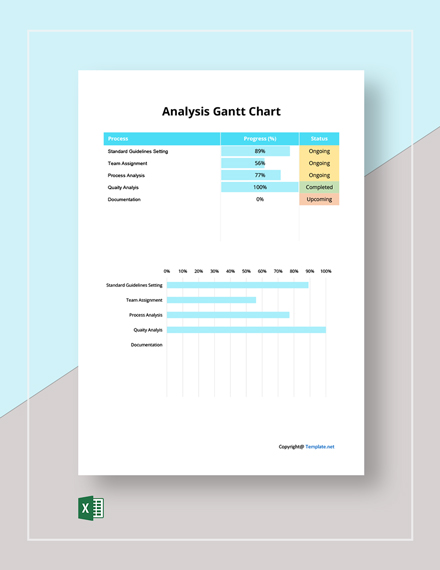 440×570 risk analysis gantt chart template excel templatenet from www.template.net
  1537×860 gantt chart template learn lean sigma from www.learnleansigma.com
  794×363 gantt chart excel gantt chart template gantt chart task management from www.etsy.com
 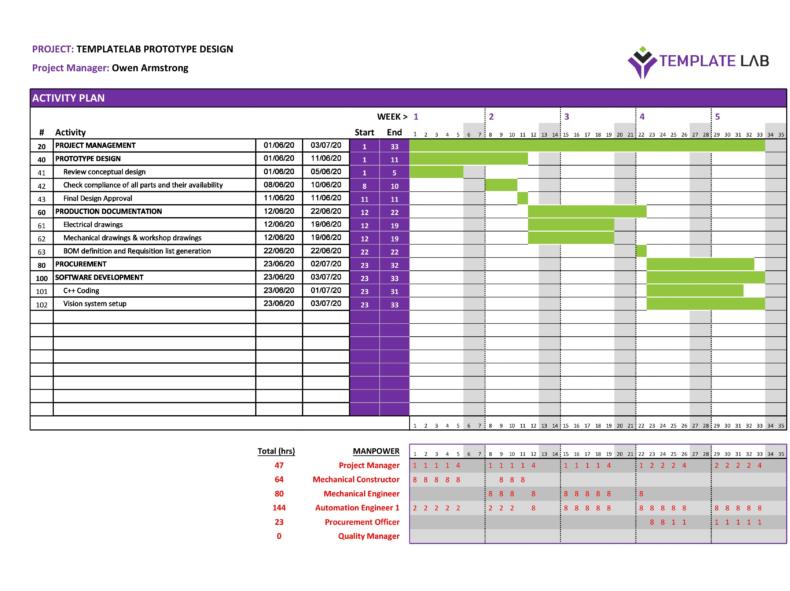 790×591 gantt chart templates excel powerpoint word templatelab from templatelab.com
  823×495 user friendly designed gantt chart template fppt from www.free-power-point-templates.com
  1110×1384 gantt chart template word formats from www.dexform.com
  768×402 gantt chart template excel powerpoint google sheet from www.techjockey.com
  602×384 top gantt chart templates from gemoo.com
  790×527 gantt chart software efficient project planning tracking excel from slidesdocs.com
 .png) 1334×980 gantt chart risk assessment visual reference charts chart master from bceweb.org
1334×980 gantt chart risk assessment visual reference charts chart master from bceweb.org  1670×713 gantt chart templates multiple projects smartsheet from www.smartsheet.com
  474×474 project management template gantt chart project timeline risk from www.etsy.com
  180×233 simple gantt chart template project tracking hero from www.coursehero.com
  0 x 0 gantt chart maker excel template task tracking custom etsy from www.etsy.com
  1280×720 simple gantt chart template google sheets iweky from technologyandsoftware3d.blogspot.com
  800×423 gantt chart templates from www.founderjar.com
  1439×858 gantt chart tracker from mungfali.com
  1366×443 gantt chart templates spreadsheets from unito.io
  1280×720 gantt chart presenting risk control strategies project risk from www.slidegeeks.com
  1470×1470 gantt chart templates project management from www.instagantt.com
  1477×630 charissas technical blog gantt chart planning from charissaongty.blogspot.com
 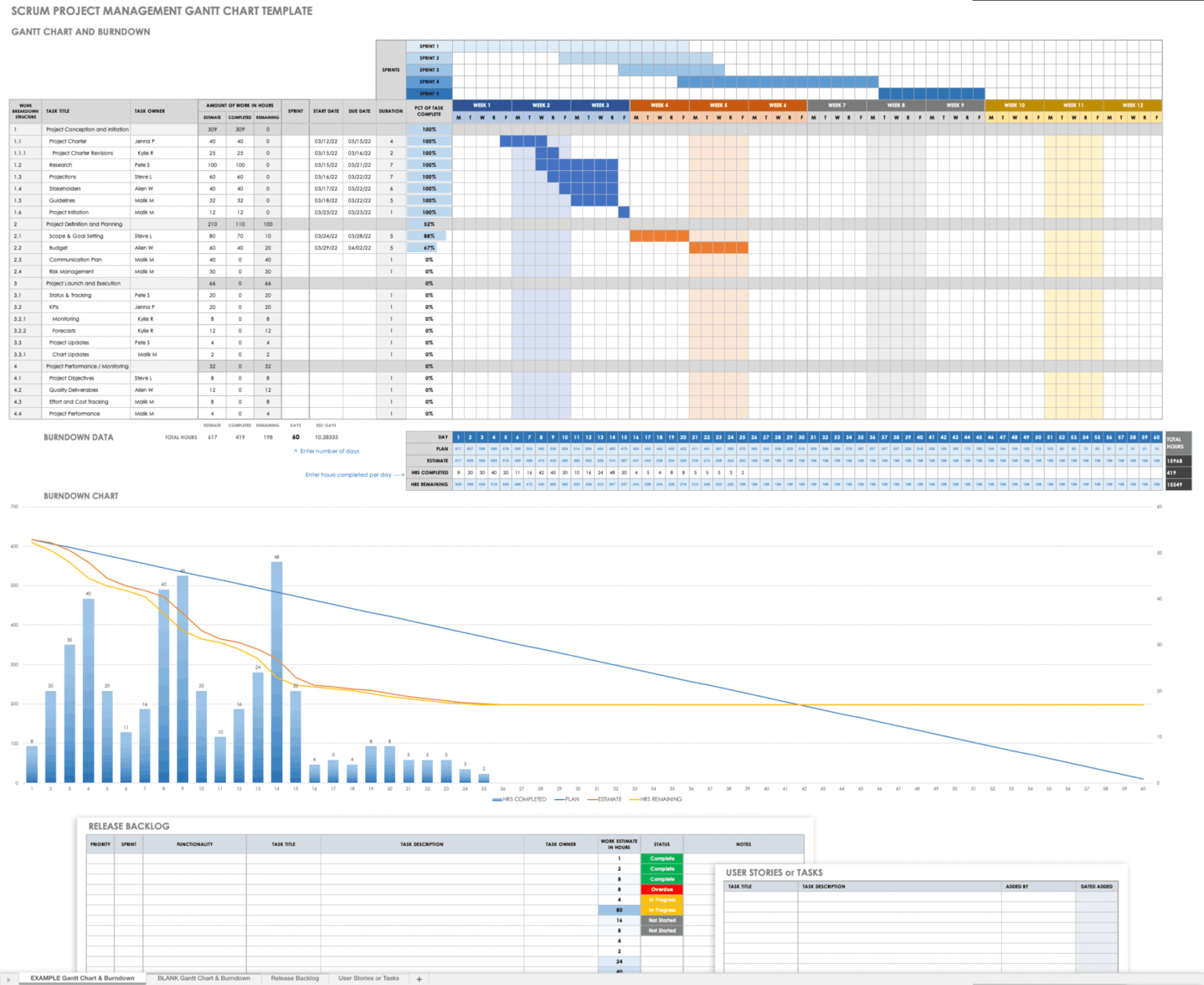 1536×1256 editable gantt chart templates excel tools smartsheet from dremelmicro.com
  1280×720 project gantt chart month task risk from www.slideteam.net
 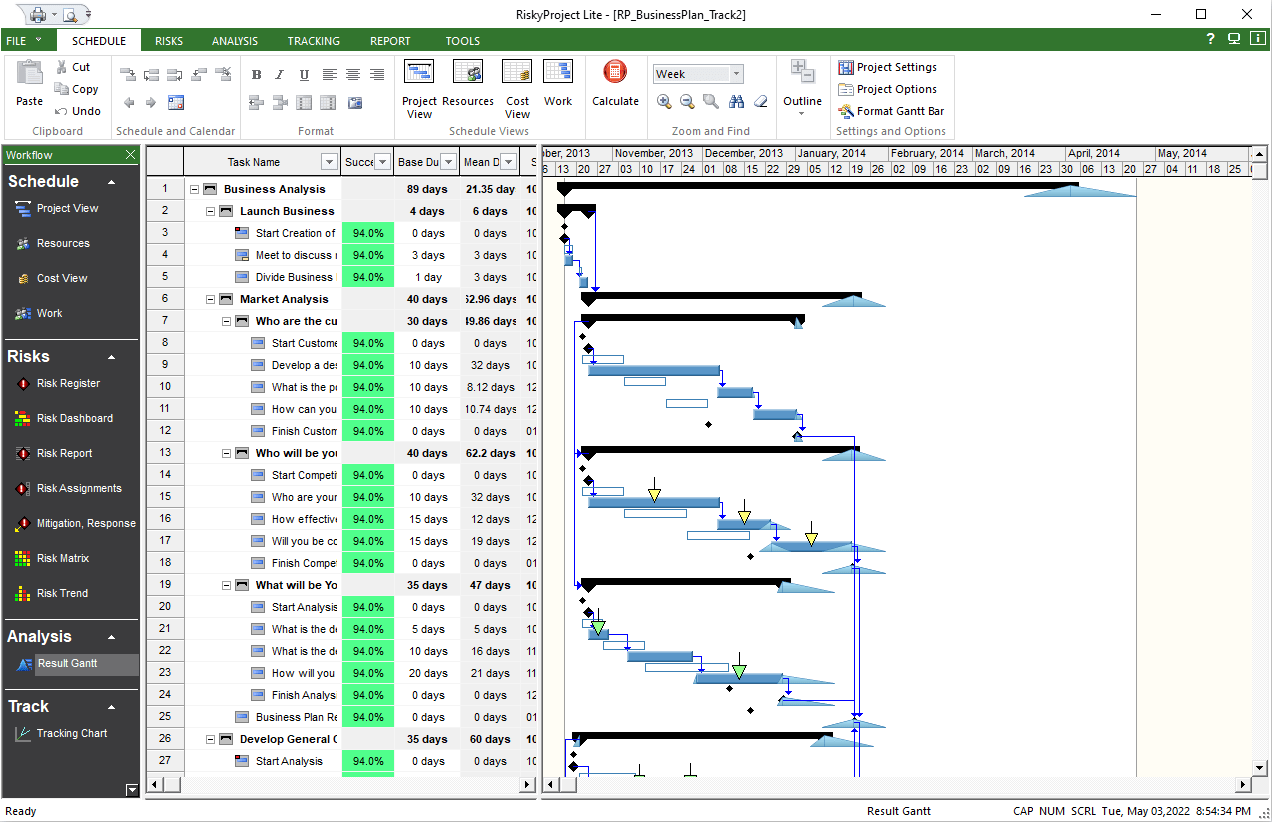 1272×822 result gantt chart riskyproject lite shows risk adjusted schedule from intaver.com
  1792×555 gantt chart risk scenarios excelpedrowave from pedrowave.blogspot.com
  1000×750 simple gantt plan from projecttemplates.guru
 Thank you for visiting Gantt Chart Template With Built-in Risk Tracking. There are a lot of beautiful templates out there, but it can be easy to feel like a lot of the best cost a ridiculous amount of money, require special design. And if at this time you are looking for information and ideas regarding the Gantt Chart Template With Built-in Risk Tracking then, you are in the perfect place. Get this Gantt Chart Template With Built-in Risk Tracking for free here. We hope this post Gantt Chart Template With Built-in Risk Tracking inspired you and help you what you are looking for.
Gantt Chart Template With Built-in Risk Tracking was posted in February 21, 2026 at 8:18 pm. If you wanna have it as yours, please click the Pictures and you will go to click right mouse then Save Image As and Click Save and download the Gantt Chart Template With Built-in Risk Tracking Picture.. Don’t forget to share this picture with others via Facebook, Twitter, Pinterest or other social medias! we do hope you'll get inspired by SampleTemplates123... Thanks again! If you have any DMCA issues on this post, please contact us!
Related For Gantt Chart Template With Built-in Risk Tracking
