
Blank Gantt Chart Template With Dependencies
Blank Gantt Chart Template with Dependencies
A Gantt chart is a powerful project management tool that visually represents a project schedule. It helps you plan, track, and manage tasks, deadlines, and resources, ensuring projects stay on track and are completed efficiently. While pre-filled Gantt chart templates can be helpful, starting with a blank template offers the ultimate flexibility, particularly when you need to incorporate task dependencies.
Why Use a Blank Gantt Chart Template?
Using a blank Gantt chart template provides several key benefits:
- Complete Customization: You’re not constrained by pre-defined tasks or timelines. You can tailor the chart precisely to your project’s unique requirements, reflecting its specific phases, activities, and deliverables.
- Deeper Project Understanding: The act of building a Gantt chart from scratch forces you to meticulously consider every aspect of your project. This process improves your comprehension of task breakdowns, dependencies, and resource allocation.
- Focus on Dependencies: A blank template allows you to prioritize the identification and visualization of task dependencies from the outset. This proactive approach minimizes bottlenecks and ensures a smooth project workflow.
- Enhanced Collaboration: When starting from a blank slate, project team members can collectively contribute to the chart’s development, fostering a shared understanding of the project plan and promoting collaboration.
Key Elements of a Blank Gantt Chart Template (with Dependencies)
A robust blank Gantt chart template should include the following elements:
- Task List: This section, typically located on the left side of the chart, lists all the individual tasks or activities required to complete the project. Each task should have a clear and concise description.
- Start and End Dates: For each task, specify its planned start date and end date. These dates determine the task’s position and duration on the Gantt chart timeline.
- Duration: The duration represents the estimated time needed to complete each task, expressed in days, weeks, or months.
- Dependencies: This is a crucial element when managing complex projects. Dependencies indicate the relationships between tasks. Common dependency types include:
- Finish-to-Start (FS): Task B cannot start until Task A is finished.
- Start-to-Start (SS): Task B cannot start until Task A starts.
- Finish-to-Finish (FF): Task B cannot finish until Task A finishes.
- Start-to-Finish (SF): Task B cannot finish until Task A starts (least common).
- Progress: Indicate the percentage of completion for each task. This helps track progress and identify potential delays.
- Resources: Assign resources (people, equipment, or materials) to each task. This helps manage resource allocation and identify potential resource conflicts.
- Timeline: The visual representation of the project schedule, typically displayed horizontally. Each task is represented by a bar that spans its duration.
- Milestones: Significant checkpoints or key deliverables within the project. They are often marked with a diamond or other distinct symbol on the timeline.
Creating Your Blank Gantt Chart
You can create a blank Gantt chart using various tools:
- Spreadsheet Software (e.g., Microsoft Excel, Google Sheets): These offer basic Gantt chart functionality using formulas and conditional formatting. While suitable for simple projects, they can become cumbersome for complex projects with numerous dependencies.
- Project Management Software (e.g., Microsoft Project, Asana, Monday.com, Smartsheet): These tools offer more advanced features for project planning, scheduling, and resource management, including robust dependency management capabilities. They often provide pre-built templates that can be modified or used as inspiration for your blank chart.
- Online Gantt Chart Makers (e.g., TeamGantt, GanttPRO): These specialized tools are specifically designed for creating Gantt charts and offer a user-friendly interface with features tailored for project scheduling and collaboration.
Steps to Build a Gantt Chart with Dependencies from a Blank Template:
- Define Project Scope: Clearly outline the project’s objectives, deliverables, and boundaries.
- Break Down the Project into Tasks: Decompose the project into smaller, manageable tasks. The level of detail should be appropriate for the project’s complexity.
- Identify Task Dependencies: Determine the relationships between tasks. Which tasks must be completed before others can begin? Use the dependency types (FS, SS, FF, SF) to define these relationships precisely.
- Estimate Task Durations: Determine how long each task is expected to take. Consider factors such as resource availability, task complexity, and potential delays.
- Assign Resources: Allocate resources to each task. Ensure that resources have the necessary skills and availability to complete their assigned tasks.
- Enter Task Information into the Gantt Chart: Input the task descriptions, start dates, end dates, durations, dependencies, resources, and progress into your chosen Gantt chart tool or template.
- Visualize the Timeline: The Gantt chart tool will automatically generate the timeline based on the information you’ve entered. The task bars will visually represent the duration of each task, and dependency lines will show the relationships between tasks.
- Monitor and Update: Regularly track progress and update the Gantt chart accordingly. Adjust task durations, dependencies, and resource assignments as needed to keep the project on track.
Tips for Managing Dependencies Effectively
- Use clear and unambiguous task descriptions. This prevents misunderstandings and ensures that everyone on the team knows what needs to be done.
- Involve team members in the dependency mapping process. They have valuable insights into the relationships between tasks.
- Regularly review and update dependencies as the project progresses. Changes may be necessary as new information becomes available.
- Use a Gantt chart tool that supports robust dependency management. This will make it easier to visualize and manage complex dependencies.
By utilizing a blank Gantt chart template and carefully defining task dependencies, you can effectively plan, manage, and track your projects, ultimately increasing the likelihood of successful completion.
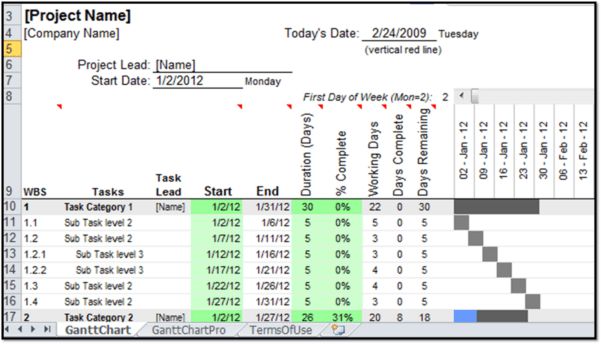 601×344 excel gantt chart template dependencies excelxocom from excelxo.com
  1424×805 blank gantt chart template sampletemplatess sampletemplatess from www.sampletemplatess.com
 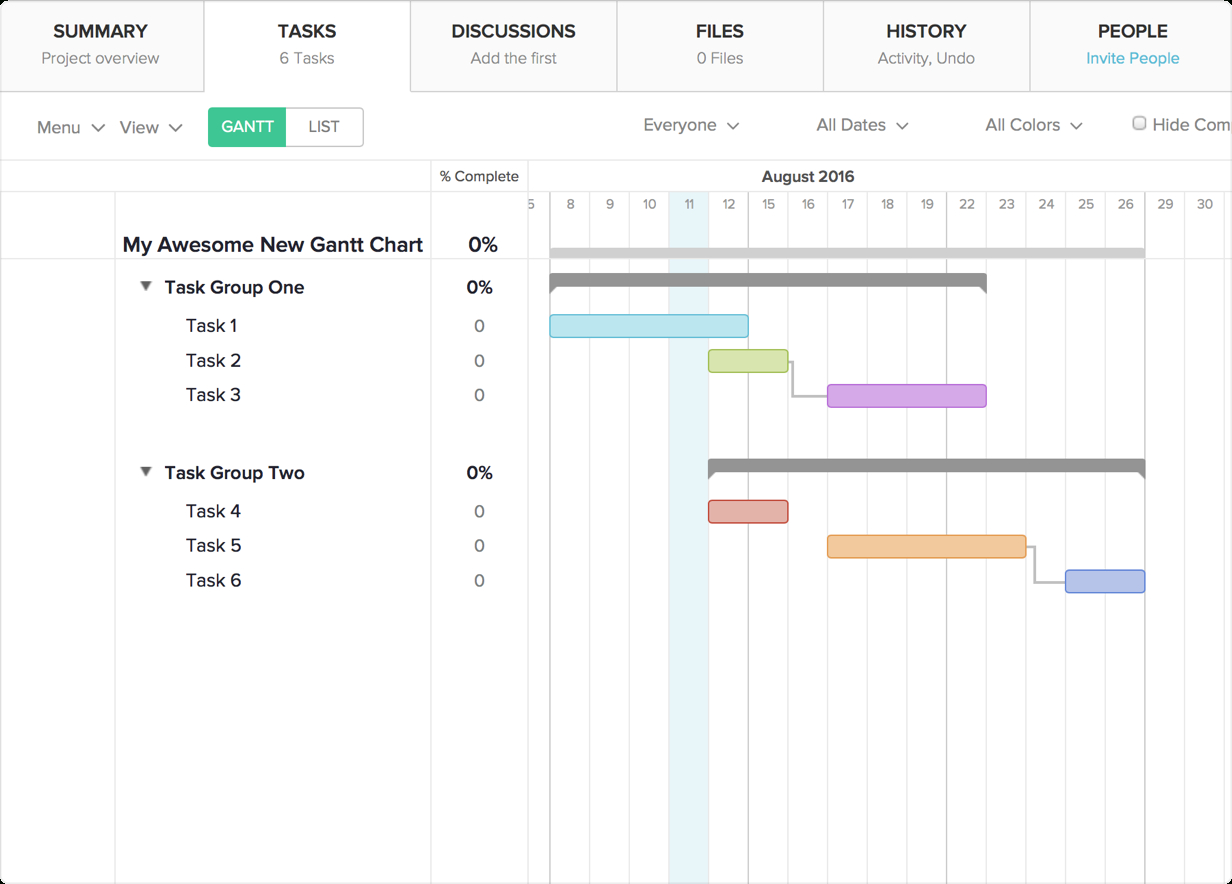 1232×884 excel gantt chart template dependencies db excelcom from db-excel.com
  900×328 gantt chart dependencies templates smartsheet from www.smartsheet.com
 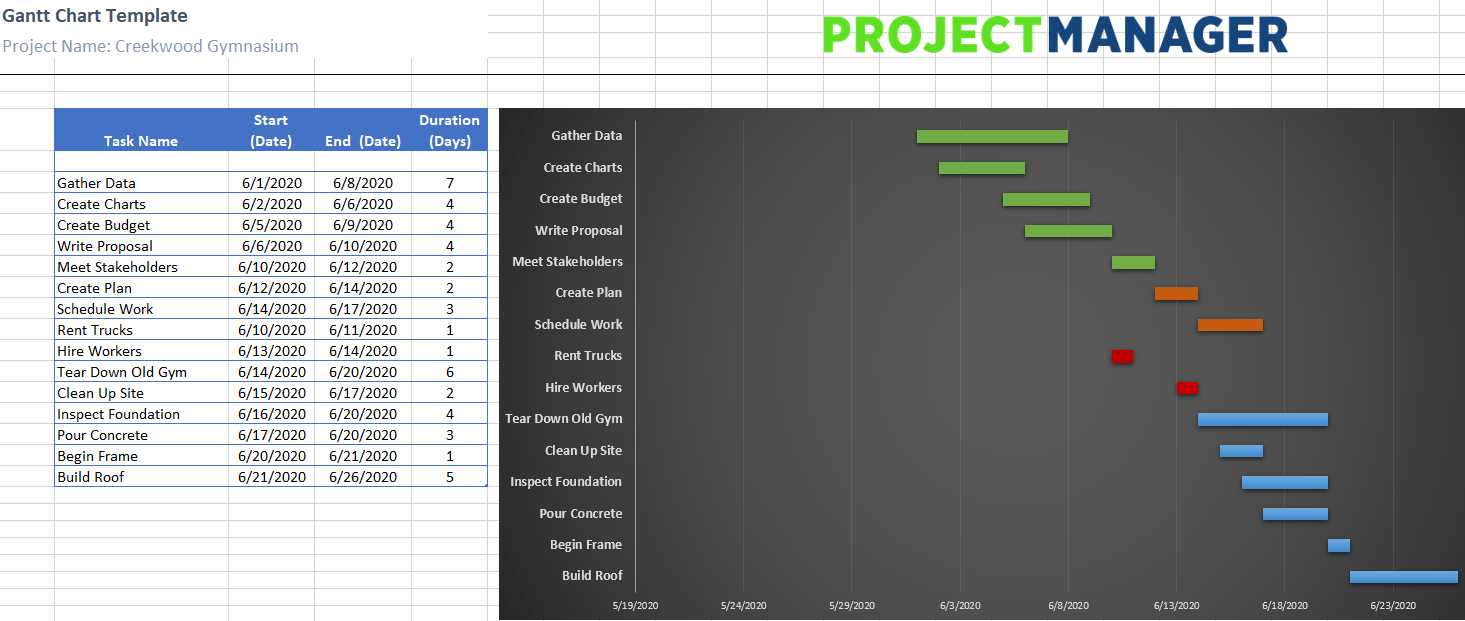 1465×621 excel gantt chart template dependencies from lesboucans.com
 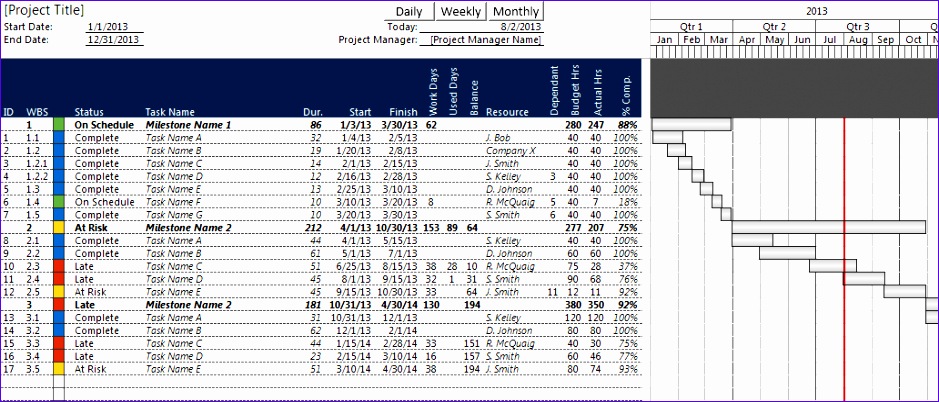 939×402 excel gantt chart template dependencies excel templates from www.exceltemplate123.us
  960×720 dependencies gantt chart sample powerpoint from www.slideteam.net
 Thank you for visiting Blank Gantt Chart Template With Dependencies. There are a lot of beautiful templates out there, but it can be easy to feel like a lot of the best cost a ridiculous amount of money, require special design. And if at this time you are looking for information and ideas regarding the Blank Gantt Chart Template With Dependencies then, you are in the perfect place. Get this Blank Gantt Chart Template With Dependencies for free here. We hope this post Blank Gantt Chart Template With Dependencies inspired you and help you what you are looking for.
Blank Gantt Chart Template With Dependencies was posted in November 19, 2025 at 5:42 am. If you wanna have it as yours, please click the Pictures and you will go to click right mouse then Save Image As and Click Save and download the Blank Gantt Chart Template With Dependencies Picture.. Don’t forget to share this picture with others via Facebook, Twitter, Pinterest or other social medias! we do hope you'll get inspired by SampleTemplates123... Thanks again! If you have any DMCA issues on this post, please contact us!