
Stakeholder Communication Gantt Chart Tracker
Stakeholder Communication Gantt Chart Tracker: A Comprehensive Guide
Effective stakeholder communication is crucial for the success of any project. Keeping stakeholders informed, engaged, and supportive throughout the project lifecycle requires a well-defined communication strategy. A powerful tool for planning and tracking this strategy is a Gantt chart tracker, specifically designed for stakeholder communication.
What is a Stakeholder Communication Gantt Chart Tracker?
A stakeholder communication Gantt chart tracker is a visual project management tool that illustrates the planned communication activities, their timelines, and assigned responsibilities for interacting with different stakeholders throughout the project. It integrates the principles of a traditional Gantt chart with the specific needs of stakeholder engagement.
Unlike a general project Gantt chart, which focuses on tasks related to deliverables and milestones, the stakeholder communication Gantt chart centers on communication tasks. It outlines what information needs to be communicated, when it needs to be communicated, who is responsible for communicating it, and how it will be communicated to each stakeholder group.
Key Components of a Stakeholder Communication Gantt Chart
A well-structured stakeholder communication Gantt chart includes the following elements:
- Stakeholder Groups/Individuals: Clearly defined segments of stakeholders, categorized by their level of influence, interest, or impact on the project. Examples include project sponsors, end-users, regulatory bodies, and internal teams.
- Communication Activities: Specific actions designed to inform, engage, or solicit feedback from stakeholders. Examples include project kickoff meetings, progress reports, newsletters, presentations, surveys, and one-on-one conversations.
- Start and End Dates: The planned start and end dates for each communication activity, reflecting the timing of relevant project milestones or stakeholder needs.
- Duration: The estimated time required to complete each communication activity.
- Assigned Resources: The individuals or teams responsible for executing each communication activity. This promotes accountability and ensures that tasks are appropriately delegated.
- Communication Methods: The channels used to deliver the message, such as email, phone calls, in-person meetings, online platforms, or written reports. The chosen method should align with stakeholder preferences and the nature of the information being conveyed.
- Dependencies: Relationships between communication activities, indicating which activities must be completed before others can begin. This ensures a logical flow of information.
- Status: The current status of each communication activity (e.g., “Not Started,” “In Progress,” “Completed,” “Delayed”). This allows for real-time monitoring and identification of potential bottlenecks.
- Notes/Comments: A space for adding additional information, such as specific details about the content to be communicated, potential challenges, or feedback received from stakeholders.
Benefits of Using a Stakeholder Communication Gantt Chart
Implementing a stakeholder communication Gantt chart provides several advantages:
- Improved Communication Planning: Forces proactive planning of communication activities, ensuring that stakeholders receive timely and relevant information.
- Enhanced Stakeholder Engagement: Facilitates consistent and meaningful engagement with stakeholders, fostering trust and collaboration.
- Increased Transparency: Provides a clear overview of communication plans, making it easier for stakeholders to understand project progress and their role in it.
- Reduced Misunderstandings: Minimizes the risk of miscommunication or conflicting information, as communication activities are clearly defined and coordinated.
- Better Resource Allocation: Enables efficient allocation of resources by assigning responsibilities and tracking progress.
- Proactive Risk Management: Identifies potential communication challenges early on, allowing for proactive mitigation strategies. For example, anticipating stakeholder concerns and addressing them proactively in communication materials.
- Improved Project Outcomes: By fostering strong stakeholder relationships and managing expectations, a well-managed communication plan contributes to overall project success.
Creating a Stakeholder Communication Gantt Chart: A Step-by-Step Guide
- Identify Stakeholders: Begin by identifying all stakeholders who have an interest in or impact on the project. Categorize them based on their level of influence, interest, and communication preferences.
- Define Communication Objectives: Determine what you want to achieve with each stakeholder group through communication. Examples include building support for the project, providing updates on progress, or soliciting feedback on key decisions.
- Determine Communication Activities: Based on the objectives, identify the specific communication activities required for each stakeholder group. Consider the frequency, format, and content of each activity.
- Assign Responsibilities: Assign specific individuals or teams to be responsible for executing each communication activity. Ensure that they have the necessary skills and resources to fulfill their responsibilities.
- Establish Timelines: Develop a timeline for each communication activity, considering the dependencies and critical milestones of the project. Use the Gantt chart format to visualize the schedule.
- Select Communication Methods: Choose the most appropriate communication methods for each stakeholder group, taking into account their preferences and the nature of the information being conveyed.
- Enter Data into the Gantt Chart: Populate the Gantt chart with all the information gathered in the previous steps, including stakeholder groups, communication activities, timelines, assigned resources, and communication methods.
- Monitor and Update: Regularly monitor the progress of communication activities and update the Gantt chart accordingly. Address any delays or challenges promptly.
- Solicit Feedback: Seek feedback from stakeholders on the effectiveness of the communication plan and make adjustments as needed.
Tools for Creating a Stakeholder Communication Gantt Chart
Several project management tools can be used to create stakeholder communication Gantt charts:
- Microsoft Project: A popular project management software with robust Gantt chart capabilities.
- Smartsheet: A cloud-based platform that offers collaborative Gantt charts and project management features.
- Asana: A project management tool that allows for task tracking, collaboration, and timeline visualization.
- Trello: A Kanban-style project management tool that can be adapted for communication tracking.
- Google Sheets/Excel: While not specifically designed for project management, these tools can be used to create basic Gantt charts.
The choice of tool depends on the complexity of the project, the size of the team, and the budget available.
Conclusion
A stakeholder communication Gantt chart tracker is an invaluable tool for managing and optimizing communication with stakeholders throughout a project’s lifecycle. By providing a visual representation of communication plans, assigning responsibilities, and tracking progress, it helps to ensure that stakeholders are informed, engaged, and supportive, ultimately contributing to the success of the project.
 570×547 project tracker gantt chart digital excel easy etsy from www.etsy.com
 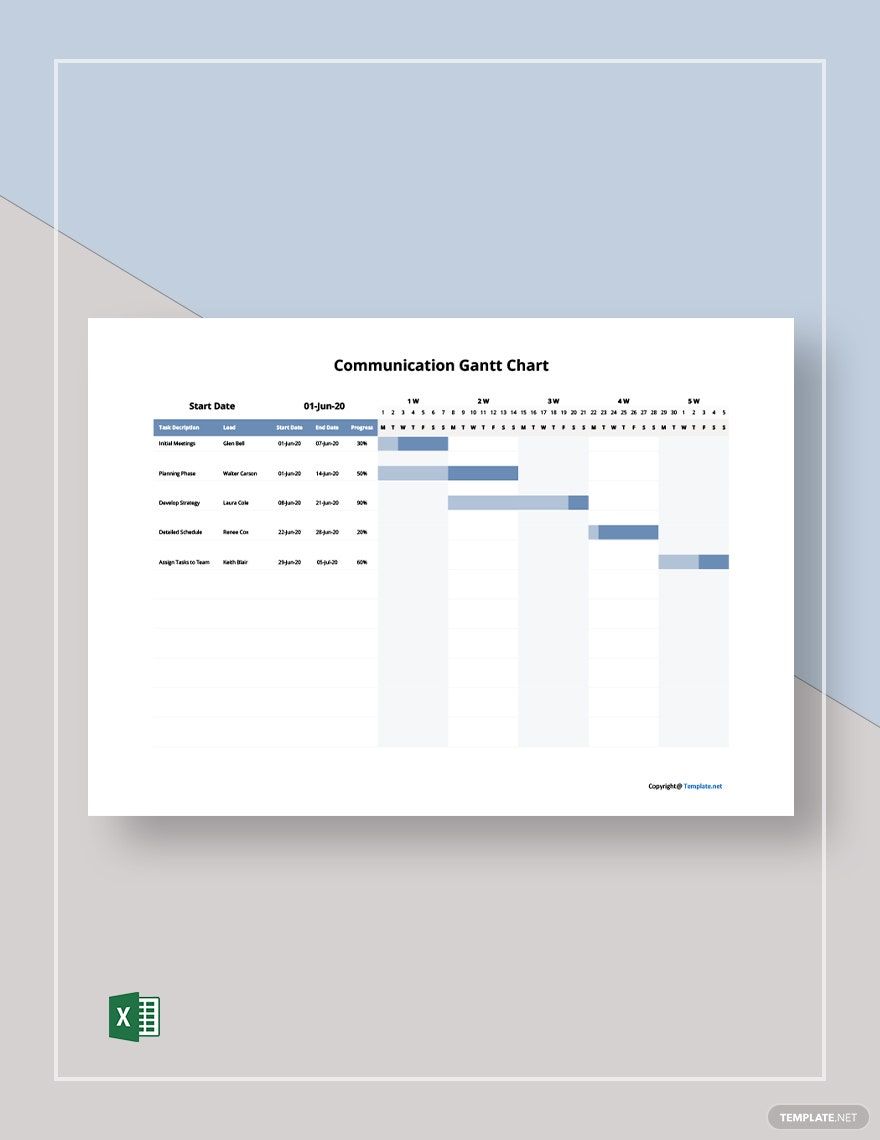 880×1140 sample communication gantt chart template excel templatenet from www.template.net
  880×1140 project communication gantt chart template excel from www.template.net
  3000×3000 gantt chart project tracker google sheets template automated project from www.etsy.com
  1760×1140 sample communication gantt chart template excel from www.template.net
  523×381 gantt chart software main features gantt chart software from www.educba.com
  0 x 0 gantt chart project tracker project management tool template microsoft from www.etsy.com
  680×297 create gantt chart stakeholder analysis work breakdown from www.fiverr.com
  1280×720 stakeholder meeting communication planning chart from www.slideteam.net
  1024×607 stakeholder engagement tracker simply stakeholders from simplystakeholders.com
  1648×498 stakeholder communication major incidents zenduty from www.zenduty.com
  2146×630 tracking gantt chart visual reference charts chart master from bceweb.org
  1915×884 comprehensive project tracker gantt chart monthly weekly quarterly from www.eloquens.com
  947×452 stakeholder communication templates google sheets from slidesdocs.com
  602×388 stakeholder management plan gantt chart from ganttchartmpti.weebly.com
  1662×1282 step stakeholder communication plan from www.financealliance.io
 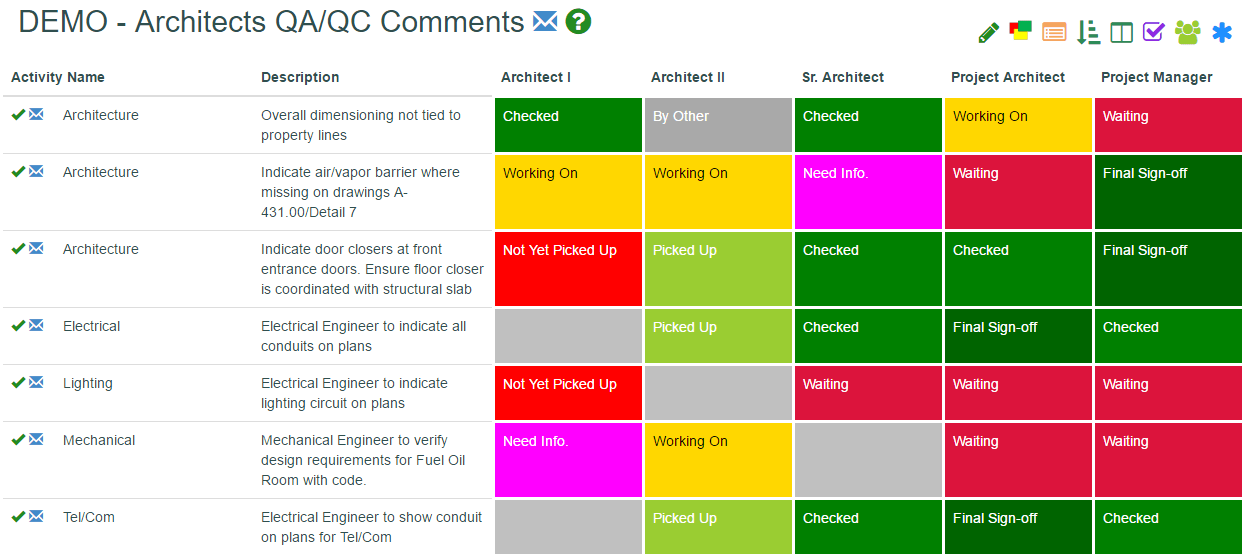 1245×557 project stakeholder communication from www.statdash.com
  1588×1123 gantt chart template google sheets project management tool task from www.etsy.com
  2858×880 tracking gantt chart communicate project progress from chartexamples.com
  2000×2000 project management gantt chart project customer tracker excel from www.etsy.com
  1280×720 managing stakeholder relationship communication planning sheet from www.slidegeeks.com
  989×651 secret info stakeholder communication plan template excel from armjack.full-managed.net
 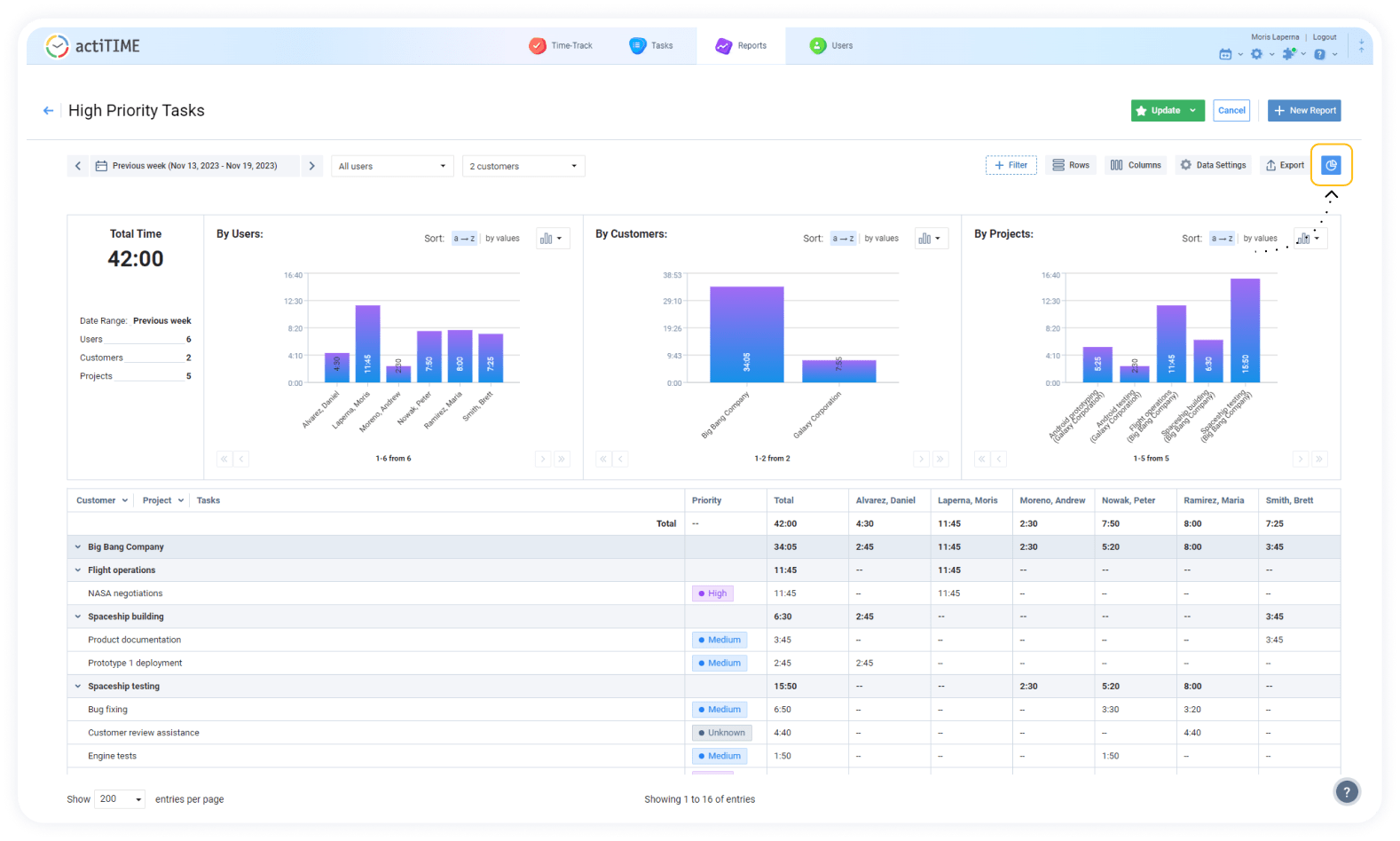 1578×948 gantt chart mastery comprehensive guide tools from www.actitime.com
  1280×720 key tools stakeholder communication establishing from www.slideteam.net
  1024×744 stakeholder analysis template pm majik from www.pmmajik.com
  1280×720 stakeholder communication program determine communication from www.slidegeeks.com
 Thank you for visiting Stakeholder Communication Gantt Chart Tracker. There are a lot of beautiful templates out there, but it can be easy to feel like a lot of the best cost a ridiculous amount of money, require special design. And if at this time you are looking for information and ideas regarding the Stakeholder Communication Gantt Chart Tracker then, you are in the perfect place. Get this Stakeholder Communication Gantt Chart Tracker for free here. We hope this post Stakeholder Communication Gantt Chart Tracker inspired you and help you what you are looking for.
Stakeholder Communication Gantt Chart Tracker was posted in December 29, 2025 at 4:17 pm. If you wanna have it as yours, please click the Pictures and you will go to click right mouse then Save Image As and Click Save and download the Stakeholder Communication Gantt Chart Tracker Picture.. Don’t forget to share this picture with others via Facebook, Twitter, Pinterest or other social medias! we do hope you'll get inspired by SampleTemplates123... Thanks again! If you have any DMCA issues on this post, please contact us!